

Lighting scenes in context
Pair a wide view of the living space with a closer view of task lighting, accent lighting or a control keypad. Explain the purpose of the scene rather than listing product specifications.
Show the finished spaces, lighting scenes, shading systems and control experiences behind your installations.
Portfolio Store for Smart Home Integrators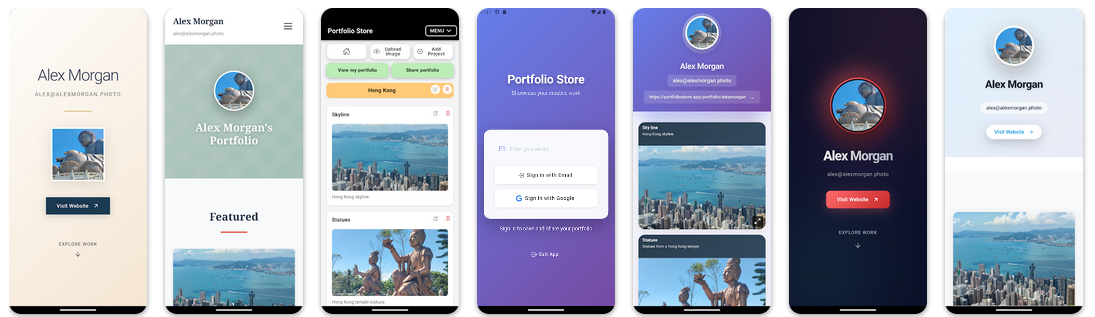
A smart-home project is easier to understand when a client can see the room, the installed hardware and the outcome together. Present the visible results of integrated systems without exposing private network details or claiming that Portfolio Store operates home automation.
THE DISCOVERY NETWORK
Go beyond a name or a listing. Explore real projects, different skills and the professionals bringing them to life.
Real portfolios. Real work. Your next connection.
Pair a wide view of the living space with a closer view of task lighting, accent lighting or a control keypad. Explain the purpose of the scene rather than listing product specifications.
Show a room in natural light and with shades positioned for privacy or glare control. Note the client's brief and the visual result, not unsupported energy savings.
Document how lighting, shading and media controls were presented to the client. Use authorized photographs of visible controls, with addresses and identifying data removed.
Separate family homes, apartments and small commercial spaces into clear projects so visitors can find work similar to their own.
Show neatly installed switches, touch panels and cable management where relevant. Good finish photographs help explain your workmanship.
Mention whether you handled commissioning, integration, coordination with electricians or final handover, without implying capabilities you did not deliver.
Yes. Obtain permission, avoid floor plans that expose sensitive layouts, blur account names and device identifiers, and show the visible design outcome.
Only when accurate and permitted. Most prospective clients benefit more from the room's purpose and the completed experience than a long equipment list.
No. Portfolio Store is for presenting photographs, projects and a shareable portfolio link; it is not a home-automation controller.
Select a few completed, authorized projects, group the photographs by installation and add concise notes on the brief and result.
A finished room that makes the installed lighting, shading or controls understandable at a glance.
Yes. Share the public portfolio link alongside your separate estimate and technical specification.
A strong integrator portfolio translates complex systems into a clear picture of how a space works. Start with the client's goal, show the installed result, and give enough context to explain your role. Keep private system information out of public pages.
The best integration work makes technology feel natural in the room.
Organize your authorized installation photographs into projects and share one professional portfolio link.