

Signature hair transformations
Show finished cuts, colour work and styling in consistent lighting. Separate balayage from short cuts when you have enough examples so visitors can find the service they actually want.
A service menu tells people what your salon offers. A carefully selected gallery shows the finish, range and consistency of real appointments. Give prospective clients a place to explore your work before they contact you to book.
People may discover your salon through a recommendation or a social post, then look for evidence of a specific result. A portfolio organized around actual services lets them compare similar work without scrolling through months of promotions and announcements.
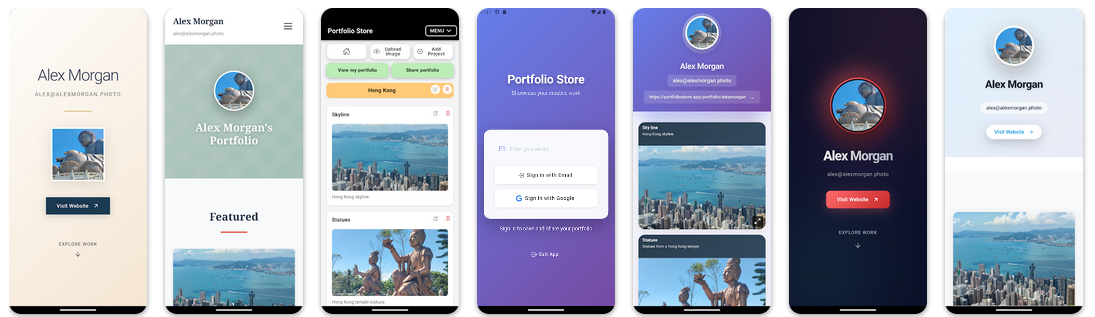
Show finished cuts, colour work and styling in consistent lighting. Separate balayage from short cuts when you have enough examples so visitors can find the service they actually want.
Use close-up photographs that reveal shape, precision and finish. Group manicures or other treatments by service rather than mixing unrelated results in one long feed.
Collect authorized event styling photos with enough variety to demonstrate different hair textures, lengths and preferences. Avoid implying a particular stylist performed work they did not do.
Refresh the gallery with recent, representative appointments. Retire older photographs that no longer reflect the services, techniques or aesthetic your salon offers today.
Show proof before the conversation. When a potential client asks whether you offer a particular look, send a link to your published portfolio and point them to a comparable gallery. A visual example supports a consultation; it cannot promise the same result for every hair type, skin condition or appointment.
Keep authorship clear. If your salon has several specialists, only publish work you are authorized to share and credit the appropriate professional in your own accompanying communications. Portfolio Store does not provide a salon staff dashboard, team permissions, appointment scheduling or automated stylist attribution.
Respect client consent. Ask before publishing client photographs, especially identifiable faces or sensitive treatment results. Avoid attaching names, contact details or private consultation notes to public galleries.
Use the right tool for the next step. Portfolio Store organizes photos into projects and provides a shareable portfolio address. Clients can then contact your salon through your existing channels. Use separate booking and payment tools for appointments and deposits.
Choose a small number of treatments that represent the appointments you want to attract, rather than trying to document every service immediately.
Check permissions and choose clear, accurate images. A consistent angle and honest lighting help clients compare results.
Upload the images to Portfolio Store and organize them by service or type of look. Free starts with one project and five images; larger collections require a paid plan.
Place your published portfolio link in your salon bio or send it directly to prospective clients. Keep your normal booking channel separate.
Real, permission-cleared examples of your main services, with enough variation to show your salon's strengths. Keep the gallery focused on outcomes rather than price lists or promotions.
Yes. A stylist portfolio highlights one professional's personal craft. A salon owner's showcase can present a curated range of services offered at the location, while making authorship clear outside the gallery.
Portfolio Store is not a multi-user salon management platform. Do not assume individual stylist logins or team permissions are available for a shared portfolio.
No built-in salon booking integration is promised. Share your portfolio for visual reference and direct customers to your existing appointment channel separately.
Yes, when you have permission to publish both images and they accurately represent the work. Avoid exposing personal or sensitive information.
Yes. The Free plan supports five images and one project. See plans and pricing for larger galleries and other available features.
A considered selection of real salon results can turn a casual referral into a more informed consultation.
Start with a few authorized photos of your most requested services.