

Signature cuts
Lead with a clear front, side or back view of finished work that reflects the styles clients request from you. A short-hair specialist can show fades, precision lines and textured finishes without mixing in another stylist's results.
You rent the chair, but the cuts, colour and finishing work are yours. Build a personal gallery clients can recognize and share, whether you work at one salon today or a different location later.
A shared salon feed can mix several stylists' appointments, promotions and opening hours. A personal portfolio gives a referred client a focused look at the results you actually created, without claiming ownership of the salon or its other staff's work.
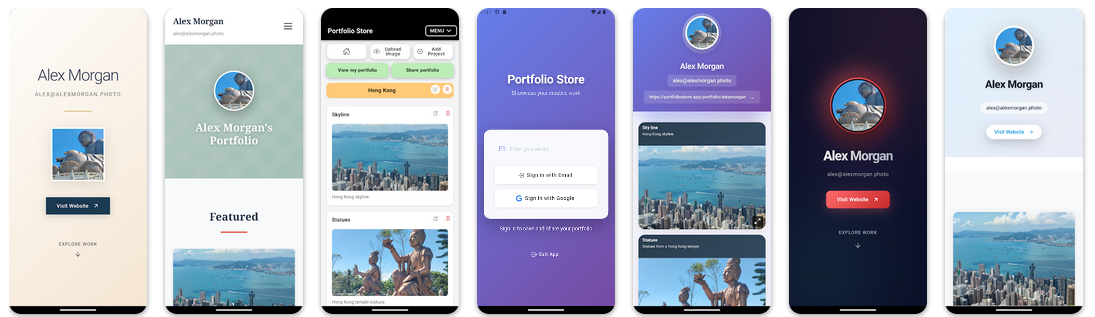
THE DISCOVERY NETWORK
Go beyond a name or a listing. Explore real projects, different skills and the professionals bringing them to life.
Real portfolios. Real work. Your next connection.
Lead with a clear front, side or back view of finished work that reflects the styles clients request from you. A short-hair specialist can show fades, precision lines and textured finishes without mixing in another stylist's results.
Group balayage, vivid colour or colour correction photographs into coherent sets. Use consistent lighting and honest before-and-after views, with consent, rather than implying every client will achieve the same outcome.
Keep bridal or event looks together when they are part of your independent service. A prospective client can then assess whether your style suits their occasion before contacting you through your usual channel.
Refresh your selection as your skills evolve. Your portfolio link represents your work independently of a particular salon address; update any location details you share elsewhere when your chair arrangement changes.
A portable reference. If a former client recommends you to a friend, a personal portfolio link can show the exact type of work they are talking about. It is a presentation of selected results, not a client database or an appointment reminder service.
Clear professional attribution. Ask permission to use photographs taken at the salon and respect any employment, chair-rental or image-use agreements. Do not include colleagues' work or suggest that you own the salon. Identify the person responsible for a look in the surrounding description or communication.
Separate booking from showcasing. Keep bookings, deposits, prices and customer records in your existing tools. Portfolio Store does not provide salon chair management, direct booking integrations, payment collection for appointments or CRM workflows.
Publish only what is appropriate. Obtain clients' permission before posting recognizable faces. Remove private appointment details, phone numbers and sensitive information from images before uploading.
For larger collections or additional projects, compare current plan limits. A hosted public link works without buying a domain; optional custom domains are available on eligible paid plans.
A salon account represents the business and may feature many professionals. Your own portfolio lets a referred client see a focused selection of work you performed, without replacing the salon's social channels.
You can continue using your hosted portfolio link to present your own work. Review your photo permissions and update any location or contact information shared separately when you move.
No. It is a visual portfolio publishing tool, not a salon booking, chair rental, customer management or payment platform.
Yes, when you have permission to publish both images. Use accurate, comparable views and avoid showing private information or suggesting identical results for every client.
The Free plan currently includes one project and up to five images. See the pricing page for paid project, image and branding allowances.
No. Visitors can view a published public portfolio in a browser. You control visibility and indexing settings separately from the link you choose to share.
Start with a few genuine examples of the work you want to be known for.